 Working
App for your computer
PayGrid
See every bill in your month on one screen, and plan which to pay first.

App for Windows
Hold a key, talk, and clean text lands where you type. All on your PC.
Many dictation tools send your voice to a cloud service. Local Flow turns speech into text on your own computer, then tidies it so it reads well. It has no main window. It waits in the background for your key.
Hold F9, speak, then let go. The text is pasted into the app you are using. Tap F9 twice for hands-free mode.
It uses faster-whisper on your own computer. Your voice does not go to a cloud service.
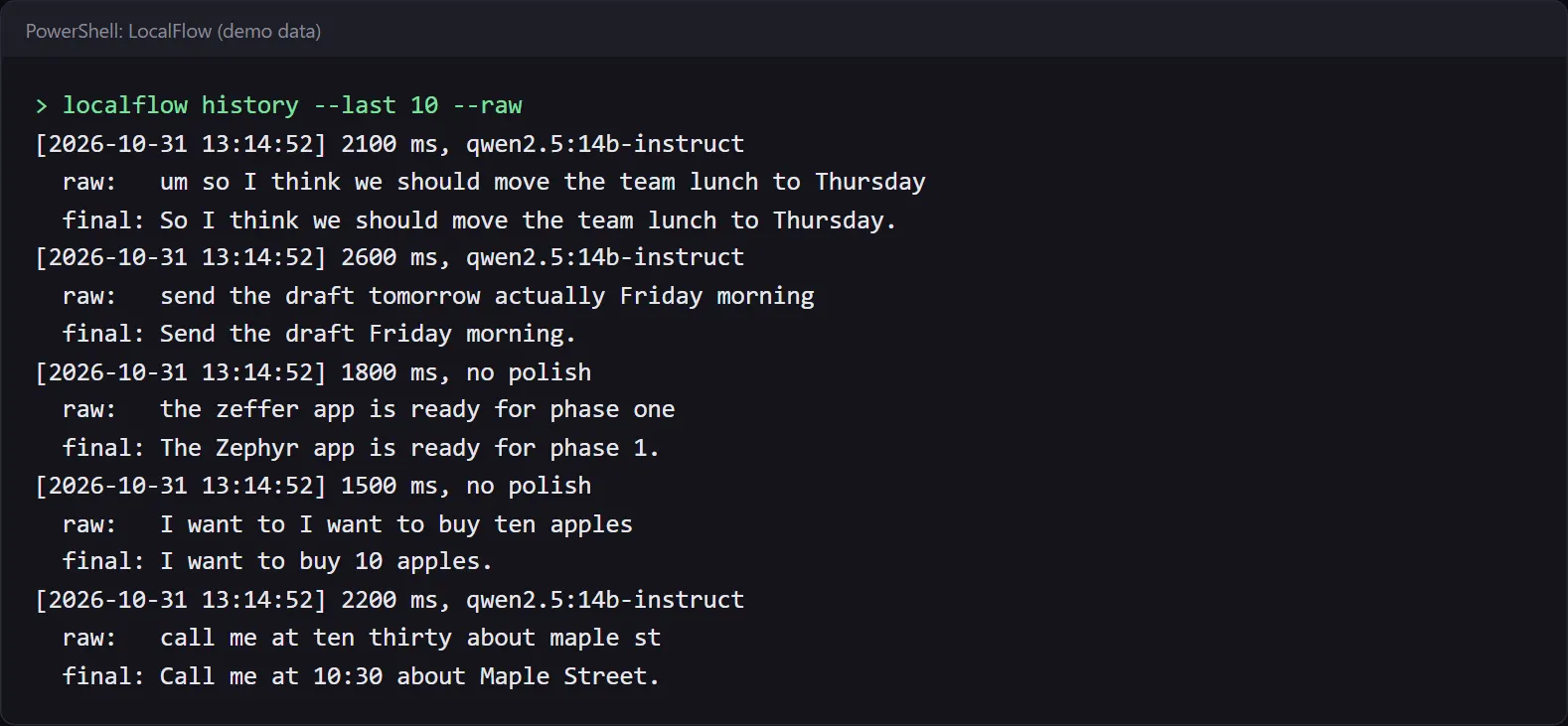
It removes filler words like um and repeated words. Spoken numbers become digits, so twenty five becomes 25.
A local Ollama model can fix self-corrections. Say tomorrow actually Friday and you get Friday. If the model is off, it still pastes the cleaned text.
A personal dictionary, word replacements, and snippets. Say a trigger and get saved text.
It matches capital letters, spacing and the final period to your cursor. It leaves terminals alone.
Correct a name after it pastes, and Local Flow can add that name to your dictionary.
It saves and restores what you had copied, and keeps dictations out of Windows clipboard history.
A bubble at the bottom of the screen shows while you record. It comes in 8 looks.
Press Esc while recording to cancel. Press Shift+Alt+Z to paste the last one again.

The bubble pictures show the real bubble, made with a test tone instead of a voice, and enlarged. The two terminal pictures are real output from the app, on demo data. Local Flow has no main window to show.



Start Local Flow. It loads the speech model and waits.
Click into any text box. Hold F9 and speak, then let go.
Local Flow turns your voice into text, cleans it, and fits it to the text around your cursor.
The text is pasted for you. Press Esc while recording to cancel.
WorkingApp for your computer
See every bill in your month on one screen, and plan which to pay first.
 Working
Tool in your browser
A hand-drawn style diagram app that runs from one file, with no internet.
 Working
 Working
Plugin for Obsidian
Pick notes in Obsidian and Claude predicts what they can make together.
 Out now